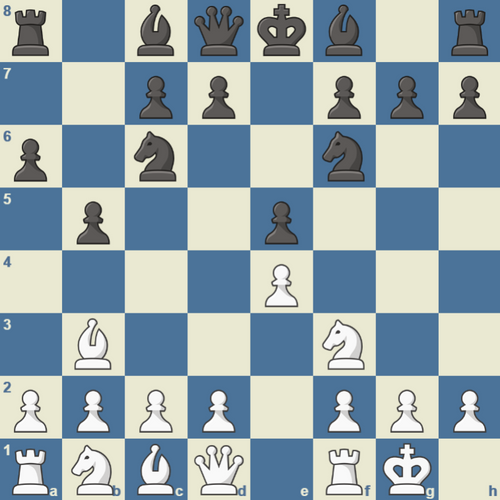
|
Chess Openings Wizard Express
The next generation in chess opening software is here! The successor to Bookup, this new program is called Chess Openings Wizard, a powerful software program for Windows that helps you design and learn opening theory fast.
Chess Openings Wizard is the world's only positional chess database. Chess Openings Wizard has been described as a chess book that "comes to life on the screen." The most common application is quick research and training in chess opening theory.
In contrast to game databases, Chess Openings Wizard stores each position and finds any transposition (regardless of move order) instantly. This feature makes Chess Openings Wizard ideal for keeping track of opening theory.
This new Express version will allow you to build an opening repertoire, read ebooks, analyze games with its built-in chess engine...and much more!
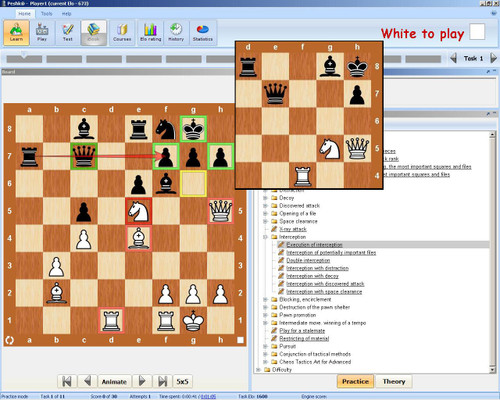
The graphic user interface (GUI) is updated to match the latest MasterChess 6000 and Susan Polgar Teaches Chess. There are multiple high resolution (sharp on very big screens) 2D diagram sets. Grandmaster theoreticians and skilled chess teachers have created ebooks about specific openings and defenses, middlegames, endgames and even tactics in the Chess Openings Wizard format. With Chess Openings Wizard you get: * Sample opening ebooks that will teach you opening theory fast. * Fast searches of all your PGN games simultaneously. * Positional trees that show all the knowledge from all your games together. * Instant opinions from Crafty and/or Ruffian, strong computer analysis engines. * A way to test yourself so you know that you know the theory. * Ability to instantly compare your internet games to all your theory - instantly!
* Create and export clear .bmp diagrams of any position Do you play chess on the internet? Chess Openings Wizard has a one-click feature that will move your latest game(s) to your favorite game database (Bookup, ChessBase, Fritz, Chess Assistant, etc.), and then import the game into your repertoire where it will show you exactly where you or your opponent played a new move. Here are some sample videos that will show you some of the powerful features of Chess Openings Wizard:
Click here to watch Video 1) How to add audio annotation in Chess Openings Wizard. How to record your voice and the changes you make to the board so that it all plays back like a movie. How to setup endgame or puzzle positions. Click here to watch Video 2) How to resize the ebook window. See a demonstration of Chess Openings Wizard finding transpositions. How to add diacritics ("?!", etc.) to moves. How to flip the board.
Click here to watch Video 3) How to open a new ebook and start an opening repertoire. How to view two ebooks at the same time. How to navigate through the moves in an ebook (the basics). System Requirements: Windows XP, 2000 or Vista plus 512MB RAM is required for Chess Openings Wizard. |